Preferences
Open Preferences with Ctrl+, or from the File menu. All settings are stored on your computer; the search box at the top finds a setting by name.
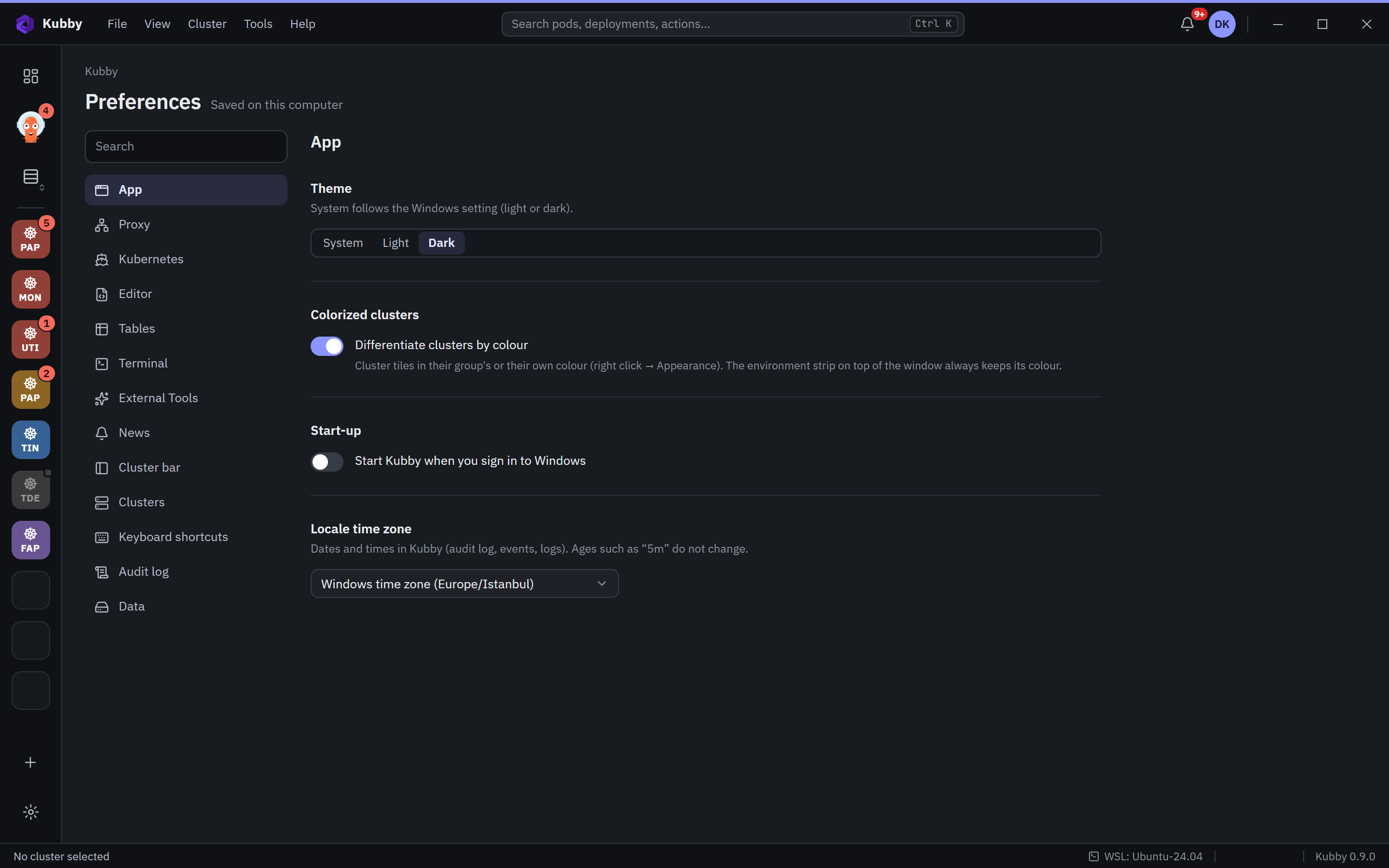
Sections
| App | Theme (system, light, dark), colouring clusters, start with Windows, time zone. |
|---|---|
| Proxy | HTTP proxy for traffic outside the clusters (licence, updates, news, AI providers). |
| Kubernetes | Kubeconfig sync files and folders, Helm repositories, Helm storage driver. |
| Editor | Line numbers, tab width, font and size. |
| Tables | Row height. |
| Terminal | Shell path, copy on select, paste on right-click, theme, font and size. |
| External Tools | AI connections for Ask Kubby (subscription or API) and turning Ask Kubby on. |
| News | News sources and refresh interval. |
| Cluster bar | Groups and environments (name, colour, protection). |
| Clusters | Added clusters and their settings. |
| Keyboard shortcuts | Every shortcut. |
| Audit log | Audit log settings. |
| Data | The data Kubby keeps on your computer. |
Time zone
Dates and times in the audit log, events and logs are shown in the time zone you choose; the default is the Windows time zone. Relative times such as "5m" do not change.