Editing YAML and creating resources
In Kubby, YAML is validated first, the difference is shown, and only then is it applied. Create new resources from ready-made templates.
Editing YAML
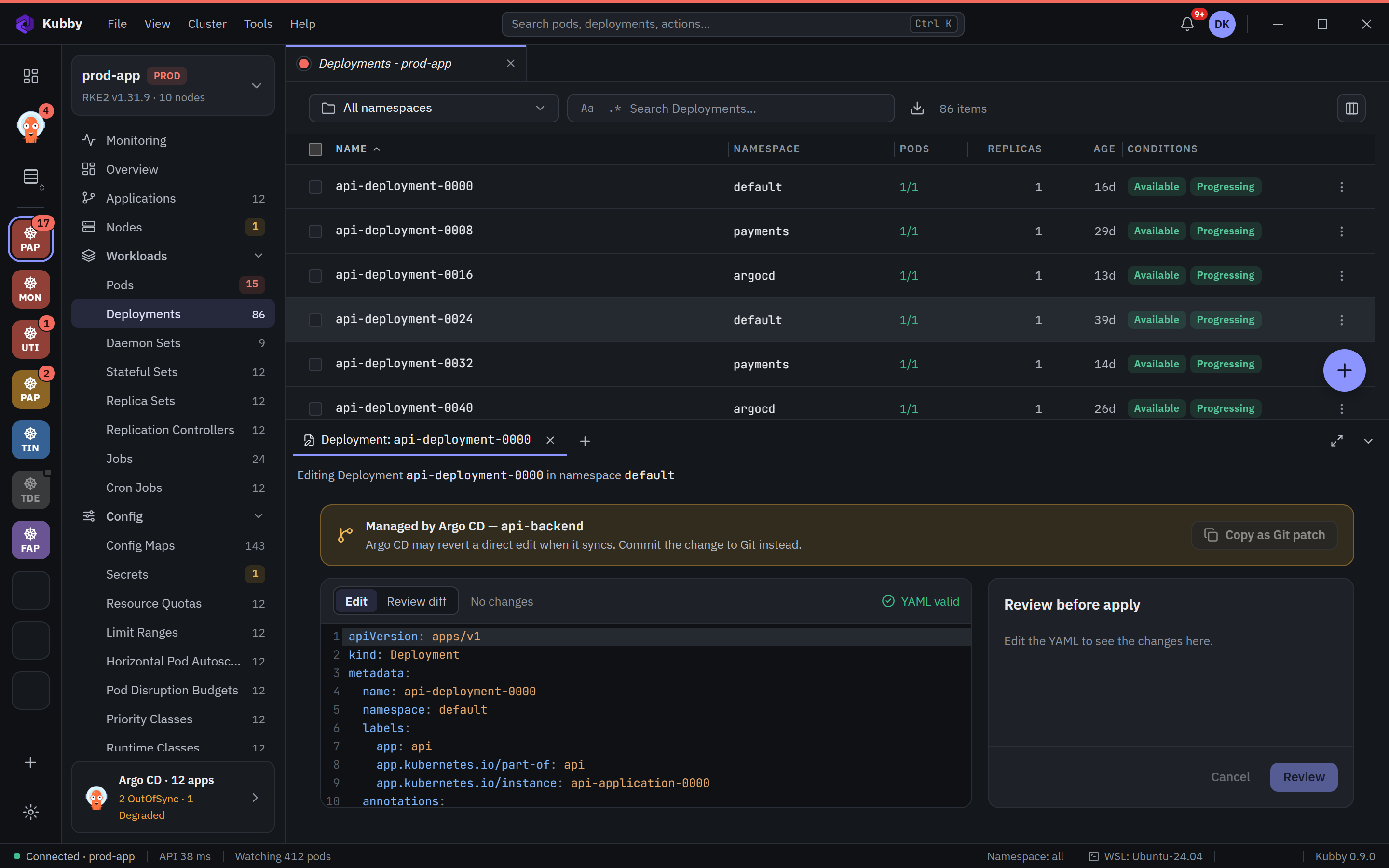
- Open the Edit YAML tab on the resource page. The editor highlights syntax and validates as you type ("YAML valid").
- Make your change. The Review before apply area on the right shows what will change.
- Check the difference with Review, then apply. Kubby validates the change on the server and tells you about conflicts.
When Argo CD or Helm manages it. If the resource belongs to an Argo CD application, Kubby warns you: a direct edit can be reverted by the next sync. Copy as Git patch takes the change to your Git repository. For workloads managed by Helm, the change is offered through Helm.
Find and replace in code views
Ctrl+F opens a find bar like VS Code's: match case, whole word and regular expression, a match counter and search in selection. In editors the replace row opens as well.
Creating resources
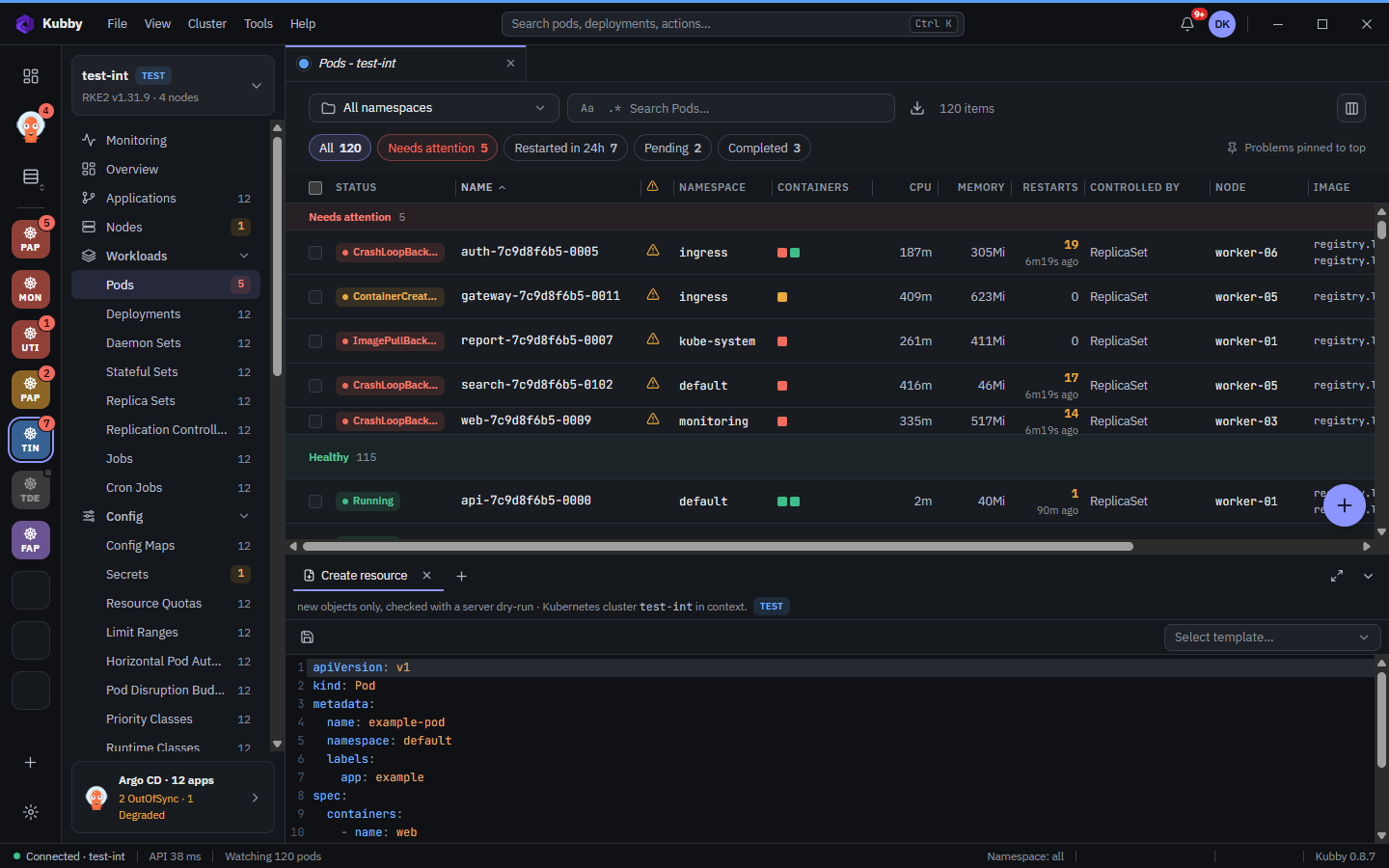
The + button on list pages opens a create editor in the bottom dock. Pick a ready-made template with Select template:
- Pod, Deployment, StatefulSet, DaemonSet, Job, CronJob;
- Service, Ingress, ConfigMap, Secret and the other core kinds;
- Gateway API (Gateway, HTTPRoute), Traefik and Istio templates.
Before creating, Kubby runs a server-side dry-run; errors appear under the editor.