Ask Kubby
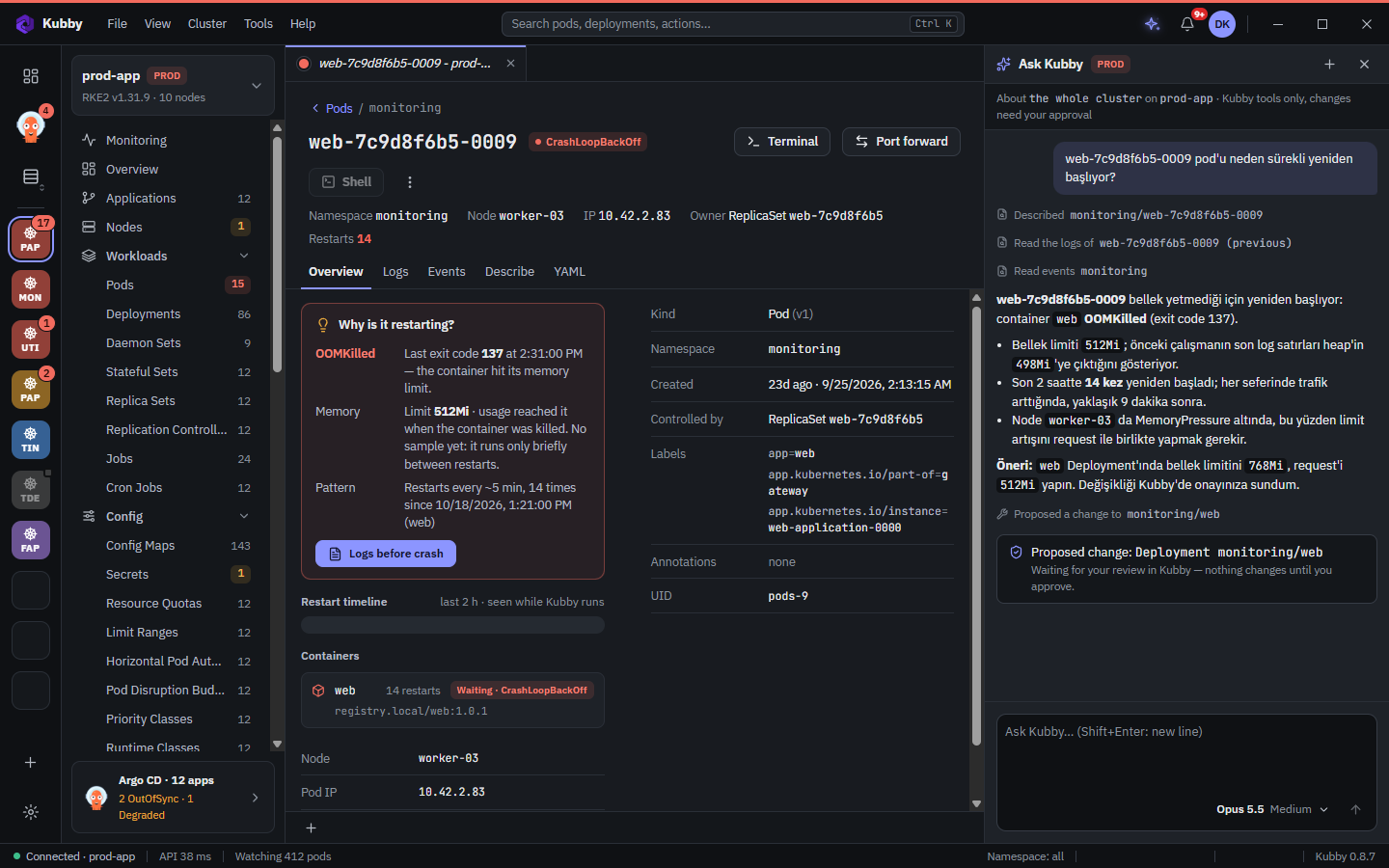
Ask Kubby is an AI troubleshooting assistant for Kubernetes. Ask about your cluster in plain language; answers come from the live resources, events and logs.
How it works
Ask Kubby works with an AI model you choose. Through Kubby's local tool server on your computer, the model reaches only the read tools Kubby allows: clusters, resources, describe, logs (including the previous run), events, the problems Kubby found, Helm releases and Argo CD applications. Secret values are never given to it.
Turning it on
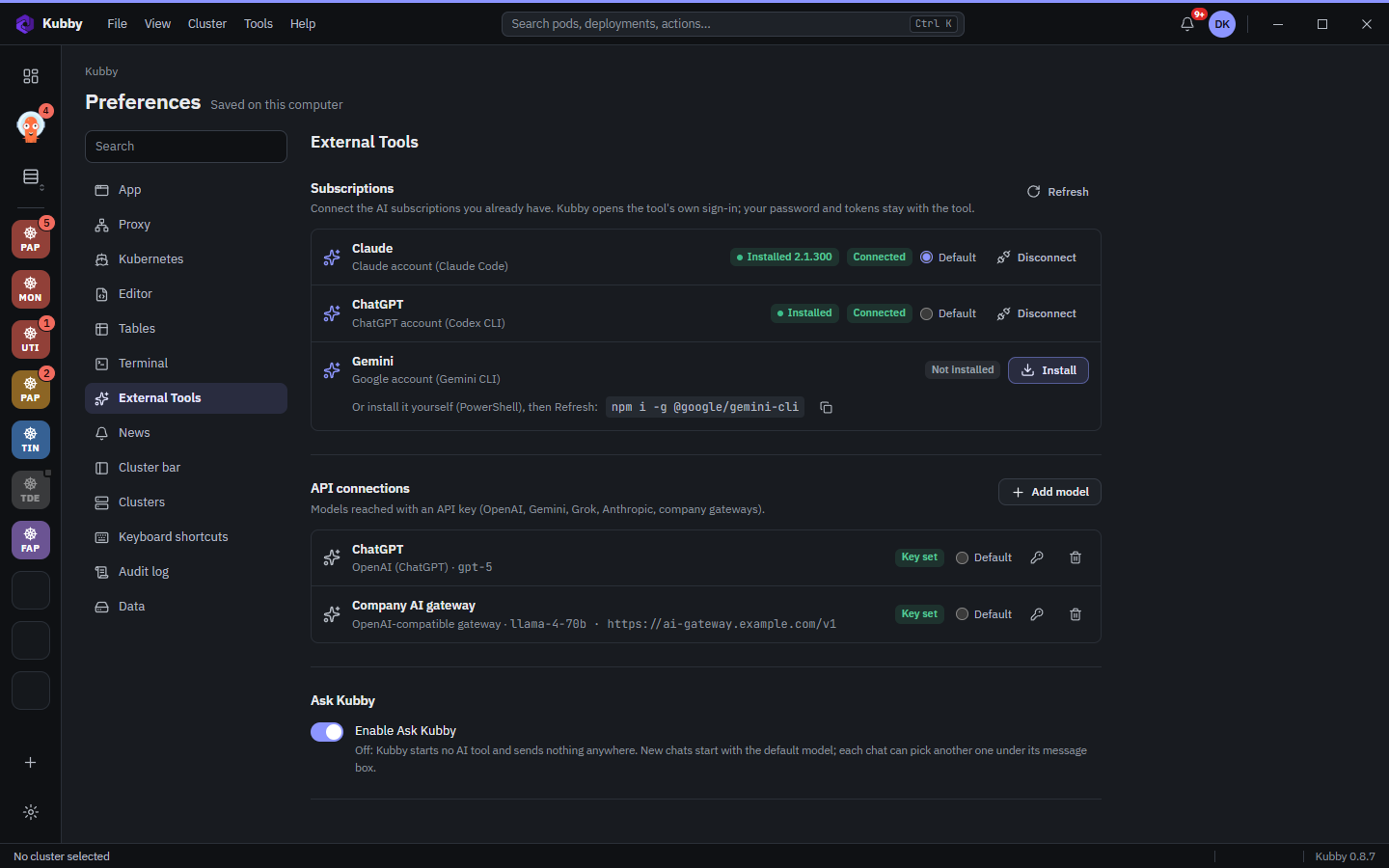
- In Kubby, go to Preferences → External Tools.
- Add a connection. Subscriptions: Claude Code, Codex CLI (ChatGPT) or Gemini CLI installed on your computer, with your own subscription. API connections: an OpenAI, Anthropic, Google Gemini or xAI API key, or your company's OpenAI-compatible AI gateway. Keys are kept in Windows Credential Manager.
- Choose the default connection and turn on Enable Ask Kubby. While it is off, nothing is sent anywhere.
Only cluster and DevOps questions
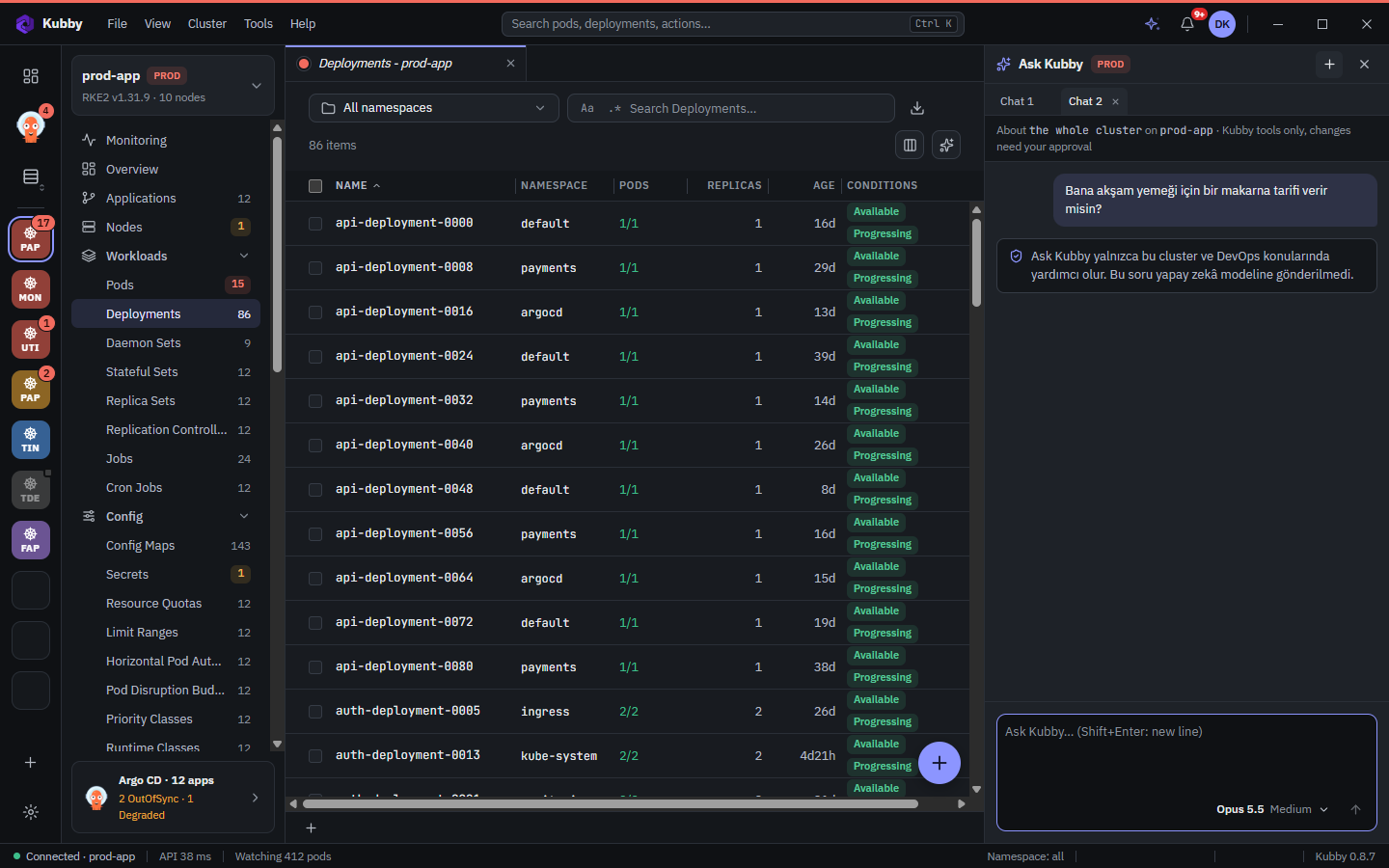
Ask Kubby is limited to Kubernetes, container, Helm and DevOps questions: clusters, workloads, networking, storage, CI/CD, monitoring and their security. Kubby checks every message itself before sending it. An off-topic question (recipes, directions, general knowledge, entertainment, personal topics) never reaches the AI model; Kubby declines it with a short answer. The model gets the same rule as a second line of defence for what the words alone cannot tell.
In a chat that already has an answer, short follow-ups such as "why?" or "yes, propose it" are accepted.
Example questions
- "Why does the pod web-7c9d8f6b5-0009 keep restarting?"
- "Why are there pending pods in this namespace?"
- "Why is this application Degraded in Argo CD?"
- "If the biggest node fails, do the workloads fit on the rest?"
- "Which certificates expire in the next 30 days?"
Asking
The Ask Kubby button on pages and in the details panel opens a chat with your current context (cluster, namespace, resource). On Argo CD applications, Ask Kubby why asks why the application is Degraded. Chats open as tabs in the Ask Kubby panel on the right; rename and colour the tabs as you like.
Proposed changes
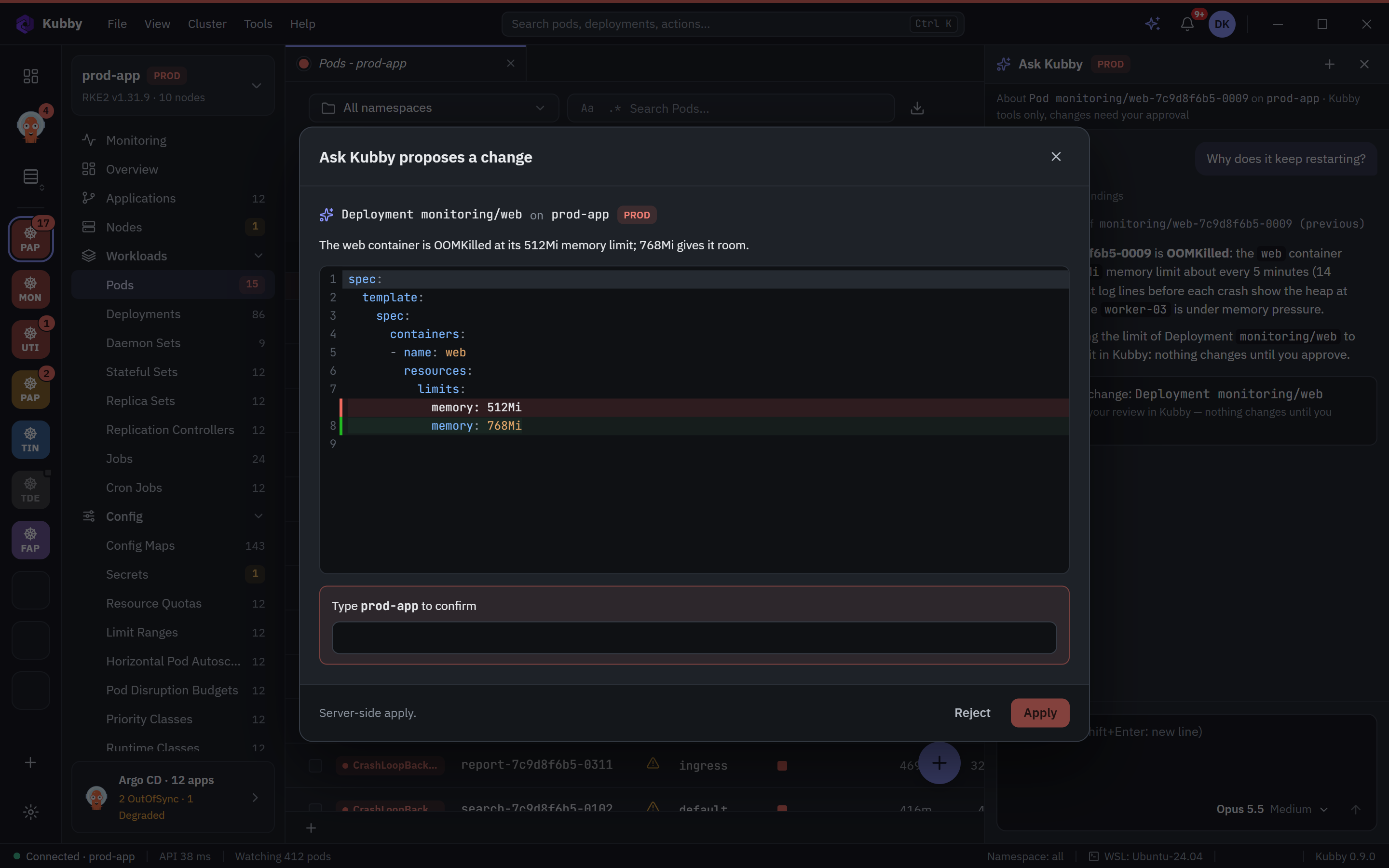
When Ask Kubby proposes a change (for example a higher memory limit for a container), the change is not applied directly; it is previewed in Kubby and waits for your approval. On PROD clusters it is not applied until you type the cluster name, and the action goes to the audit log. If the resource belongs to an Argo CD application, Kubby reminds you to make the change in Git; for workloads managed by Helm, the change goes through a Helm upgrade.
Which data goes where
| Data | Where it goes |
|---|---|
| Your question and chat history | To the AI provider you chose (Anthropic, OpenAI, Google, xAI or your company's AI gateway), with your own account or API key. |
| Cluster context the model reads | Only the resource definitions, events and log lines the model asks for in this question, to the same provider. |
| Secret values, kubeconfig, tokens and passwords | Nowhere. The model cannot reach them; passwords and tokens in YAML, logs and Helm values are masked before anything is sent. |
| Off-topic questions | Nowhere. Kubby answers them itself. |
| Kubby's servers | Ask Kubby chats are not sent to Kubby's servers. |
How the provider handles the data depends on that provider's terms for your account. If your company policy requires it, use the AI gateway your company has approved.