Logs and events
Kubby shows a container's live logs and the logs of its run before the crash on the same screen.
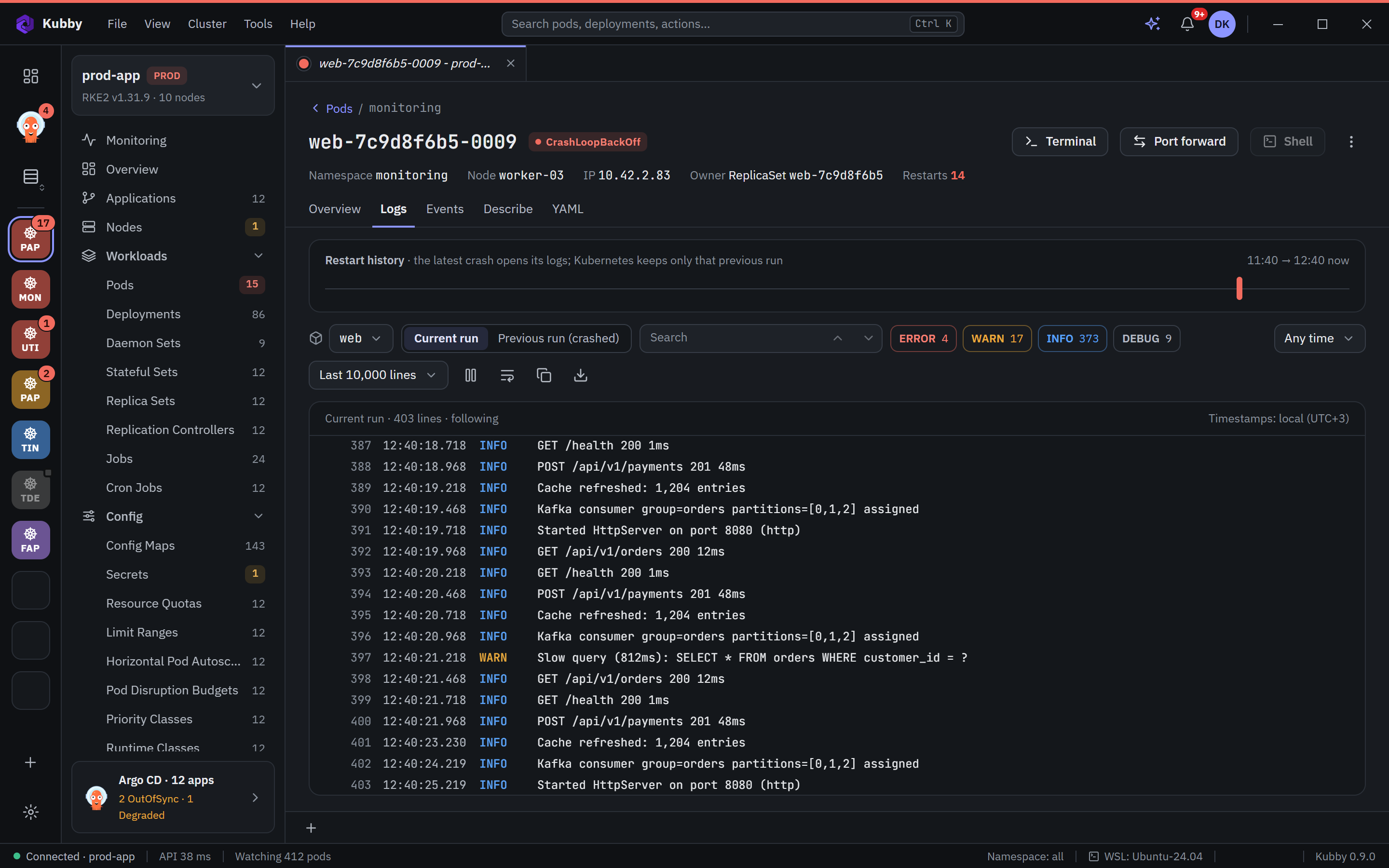
Log viewer
- Container: pick the container in multi-container pods.
- Current run / Previous run: open the previous run of a crashed container; after the last line Kubby shows how the container ended (for example OOMKilled, exit code 137).
- Restart history: recent restarts on a timeline.
- Search: matches are highlighted; step through them with the "3/12" counter.
- Level filters: ERROR, WARN, INFO, DEBUG with counts.
- Time range and line count: for example the last 10,000 lines.
- Timestamps: in your local time zone. Copy the logs or download them as a file.
Workload logs
See the logs of every pod of a Deployment or StatefulSet in one stream, each line marked with its pod name. For several workloads, labels or namespaces in one live timeline, use the Logs page; for logs of pods that are gone, log stores.
Events
The Events page lists the cluster's Kubernetes events with Warnings first. Every resource also has its own Events tab.
Describe
The Describe tab shows kubectl describe output with search and copy. In code views Ctrl+F opens a VS Code-style find bar: match case, whole word and regular expression, with a "3 / 12" counter.