Helm
Kubby lists the Helm releases in the cluster and shows their values, history and resources. Upgrades, rollbacks and installs run with the Helm that ships with Kubby.
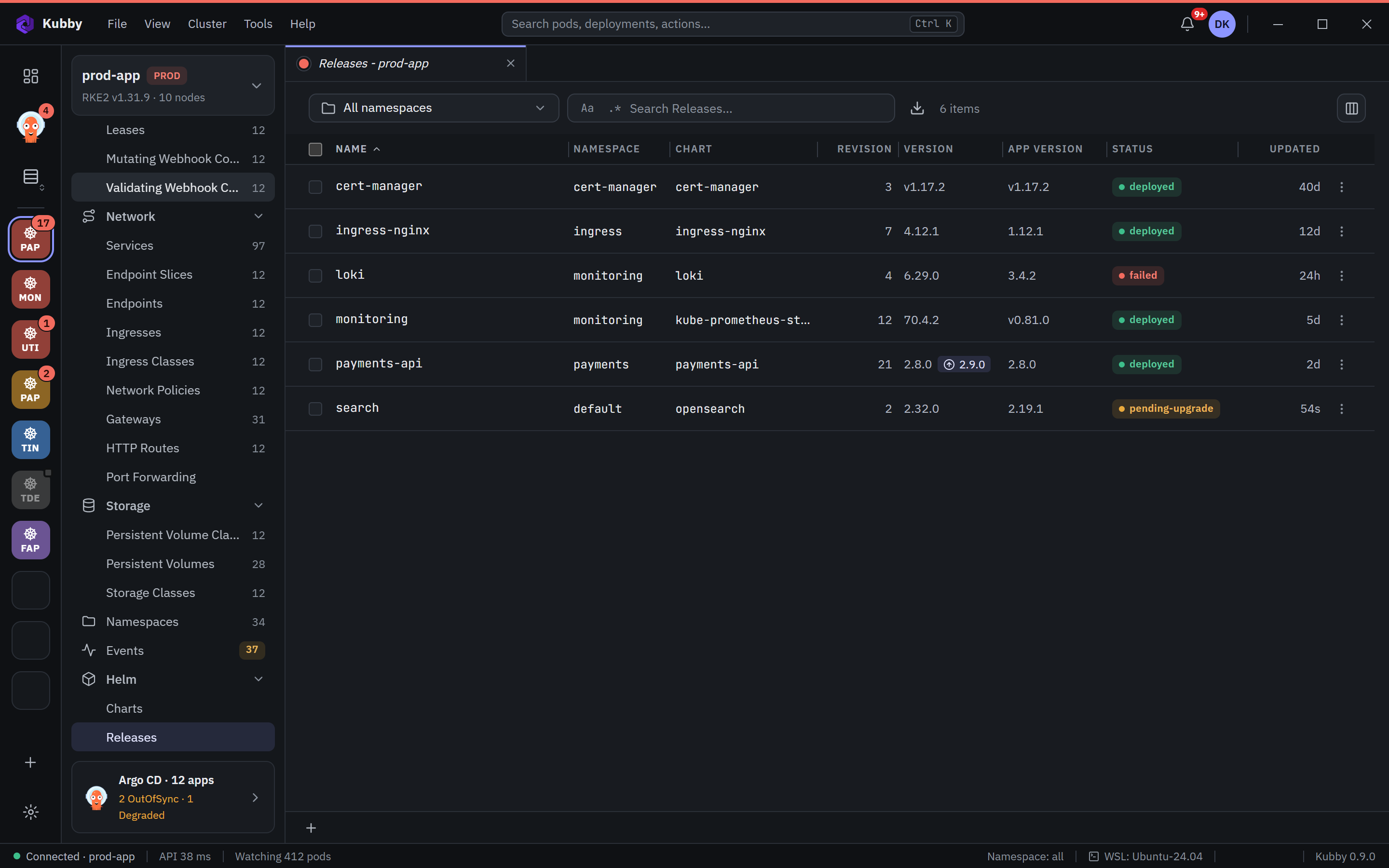
Releases
- A list with namespace, chart, version, status and last update.
- A badge shows when a newer chart version exists.
- Details: user-supplied and computed values, revision history, the release's resources and their health, and the chart README.
- Compare two revisions; export values.
Upgrade and rollback
- Choose Upgrade from the release menu. Edit the values or pick another chart version.
- Kubby runs a dry-run first and shows the result.
- Confirm to upgrade. If something goes wrong, go back to a revision from the history with Roll back.
Charts and installing
The Helm → Charts page lists the charts in the repositories set in Preferences → Kubernetes. Pick a chart and install it with your values. Add repositories and choose the Helm storage driver in Preferences → Kubernetes.
Helm actions are covered by PROD protection too and are written to the audit log.