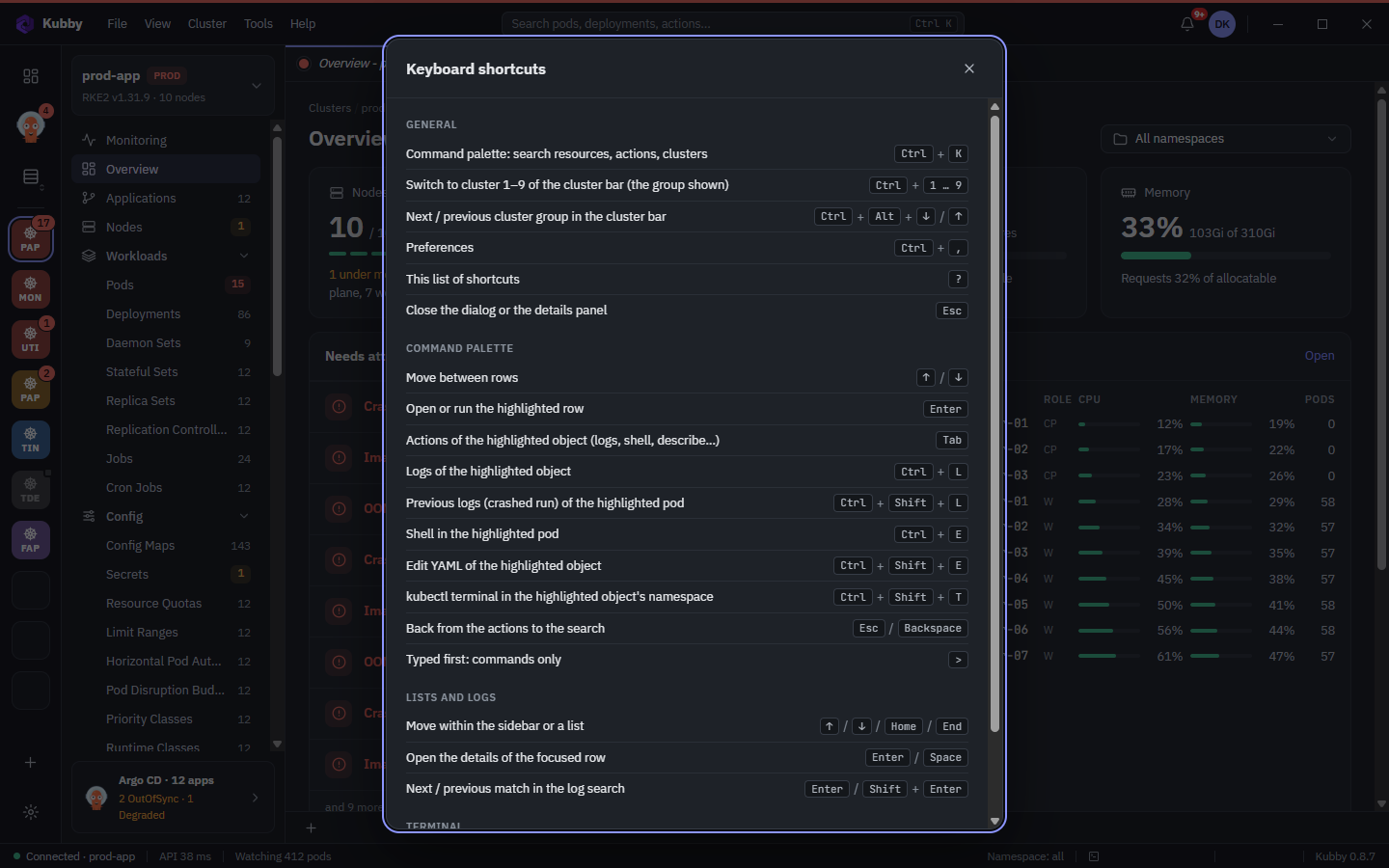
Command palette and shortcuts
The command palette is how you reach everything in Kubby from the keyboard: resources, pages and actions in one search box.
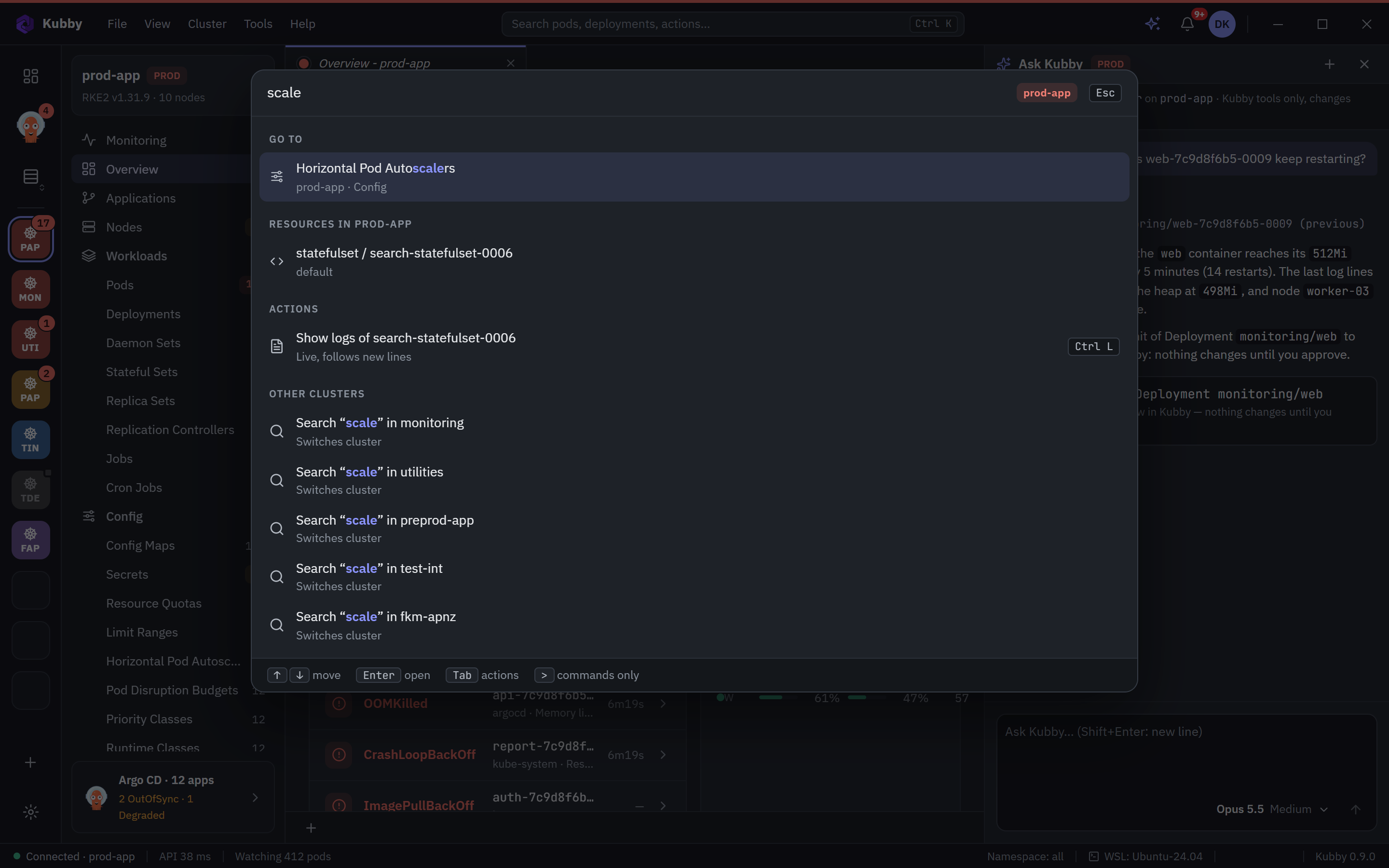
Command palette
- Ctrl+K opens the palette. Start typing: resources, pages and actions are searched together.
- Type > first to list commands only.
- Tab shows the actions of the selected row.
- Ctrl+L opens the logs of the selected resource; Ctrl+E opens a shell in its pod.
- If what you look for is not in the open cluster, it offers to search the other clusters.
- Recently opened pages stay at the top of the list.
Common shortcuts
| Shortcut | Action |
|---|---|
| Ctrl+K | Command palette |
| Ctrl+1 … 9 | The first nine clusters in the cluster bar |
| Ctrl+, | Preferences |
| Ctrl+` | Terminal |
| Ctrl+F | Find in a code view |
| ? | List of shortcuts |
| Esc | Close a dialog or the details panel |
See the full list in Kubby with ? or in Preferences → Keyboard shortcuts.