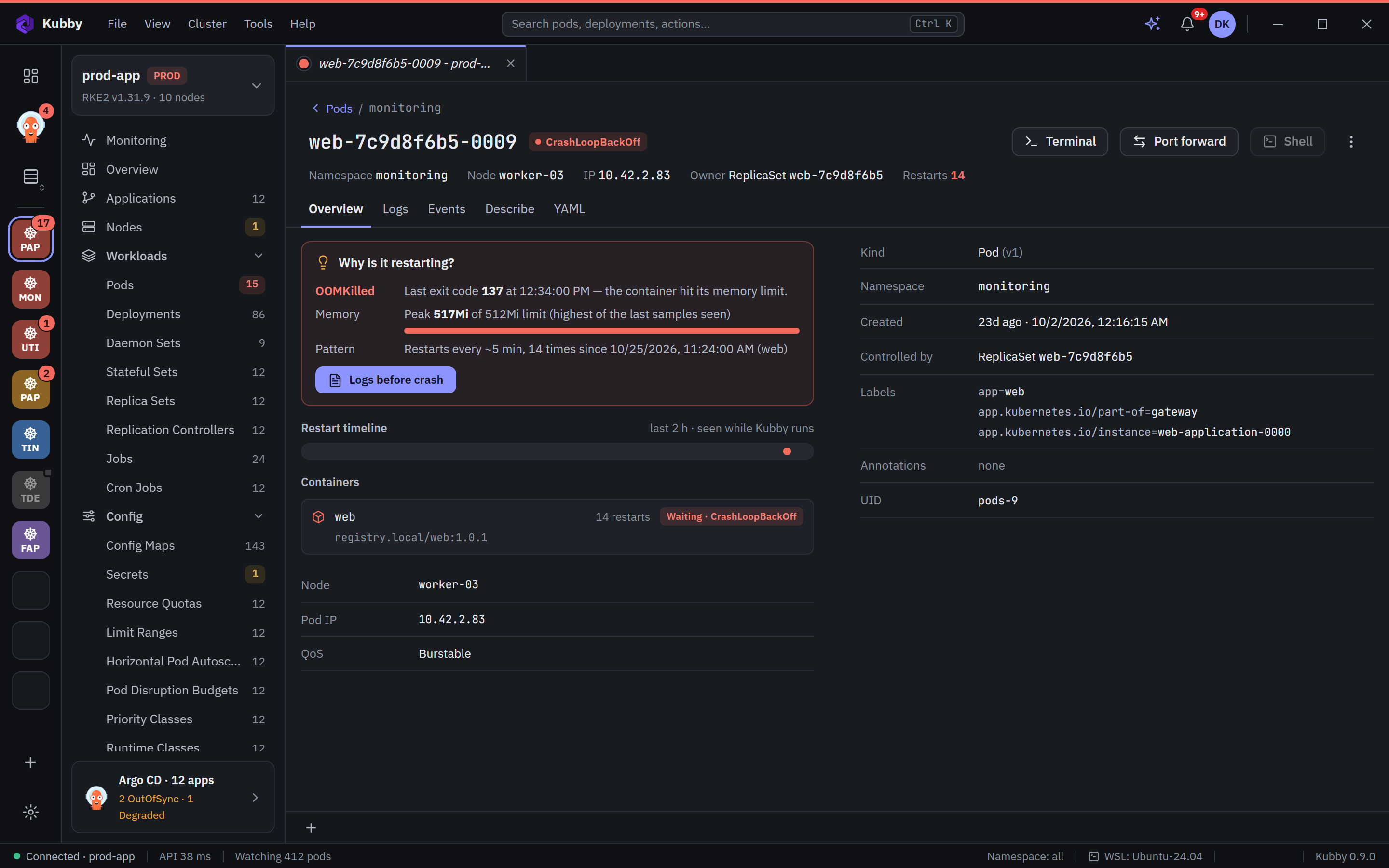
Problems first, with the reason
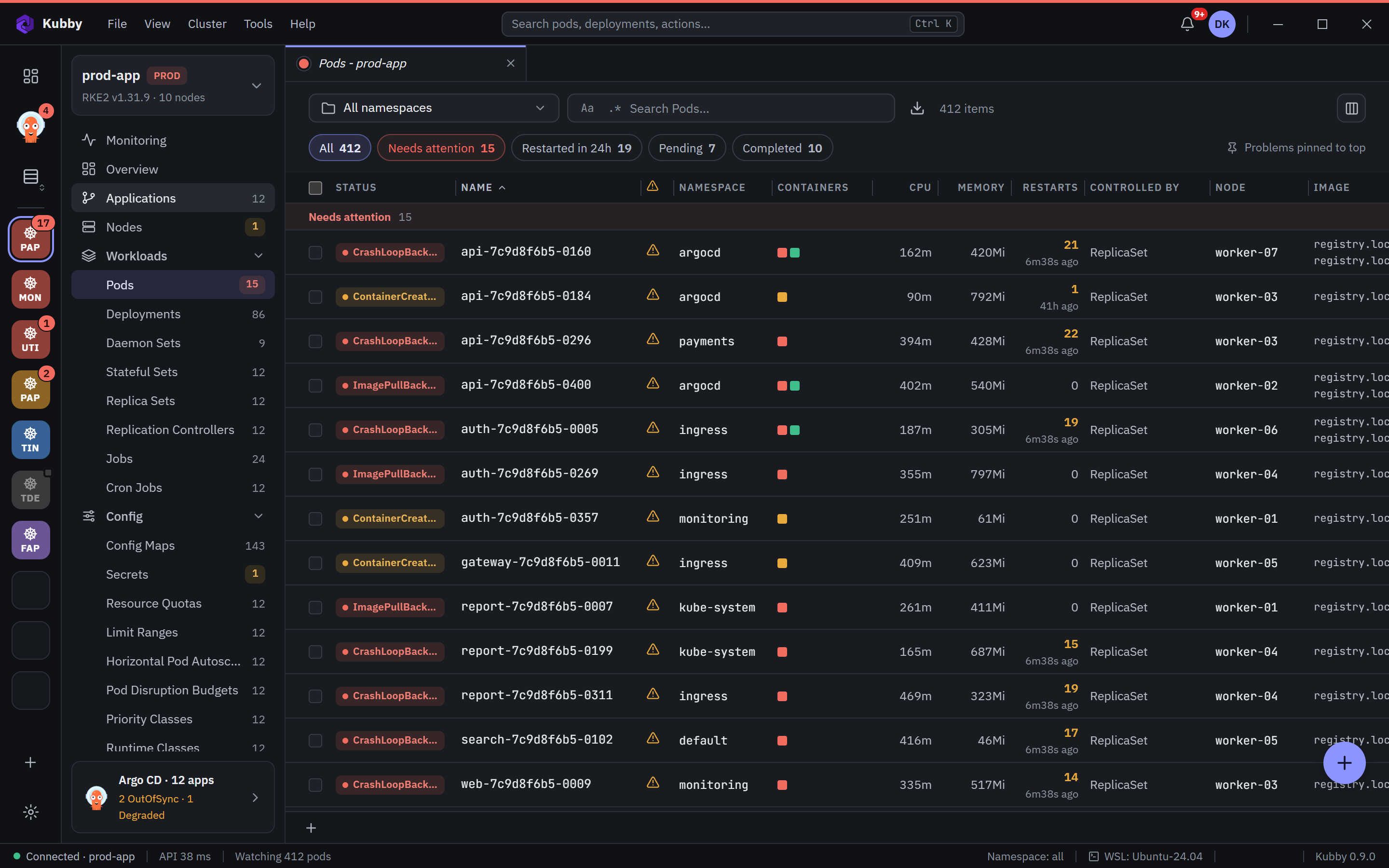
CrashLoopBackOff, OOMKilled and ImagePullBackOff rise to the top. Kubby says why in one sentence: exit code, memory peak against the limit, restart pattern, and the logs before the crash.
Desktop app for Windows 10 and 11 · Free, every feature included
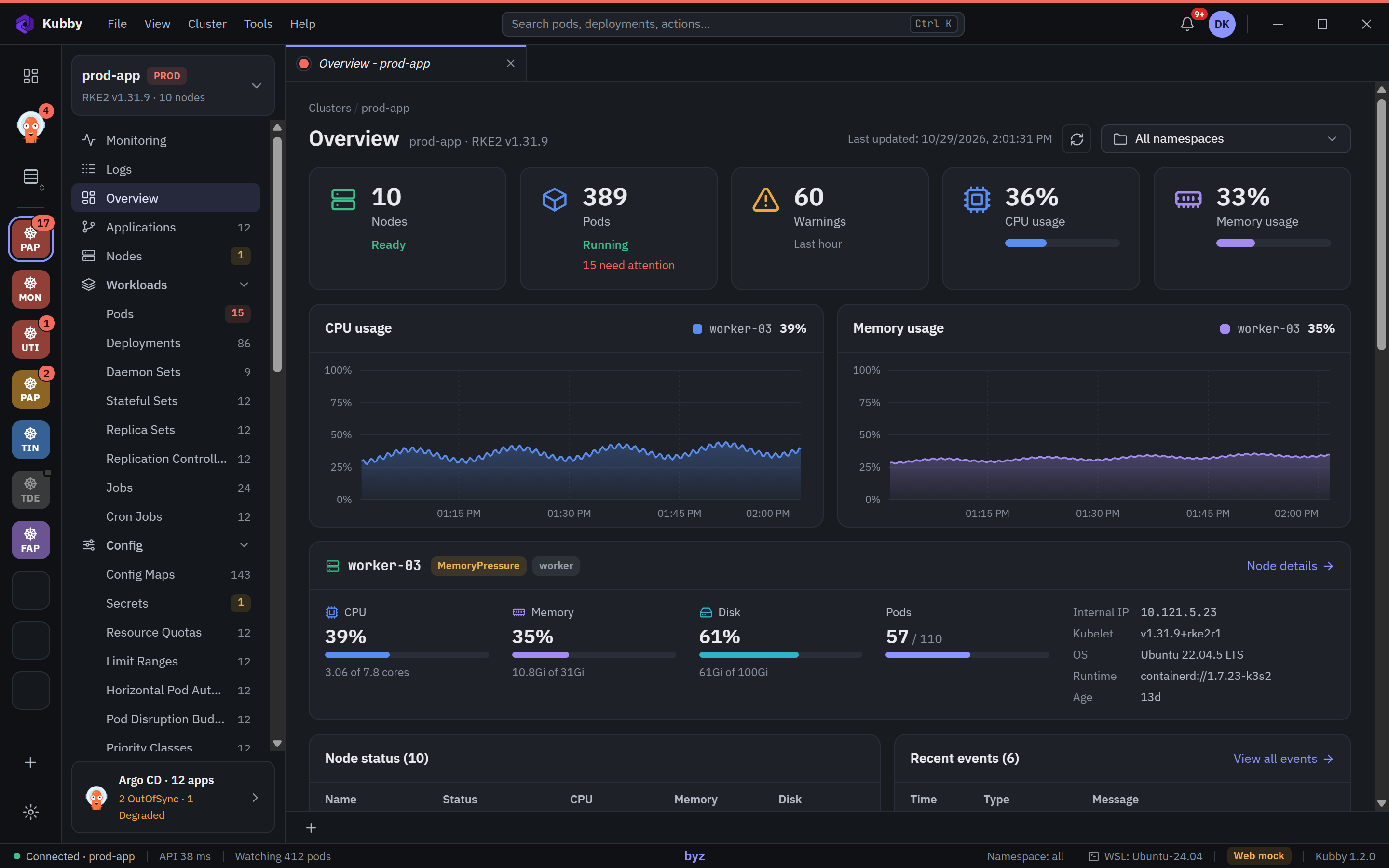
Kubby is built from the questions you ask at 3 a.m.: what is broken, why, and how do I fix it without breaking something else.
CrashLoopBackOff, OOMKilled and ImagePullBackOff rise to the top. Kubby says why in one sentence: exit code, memory peak against the limit, restart pattern, and the logs before the crash.
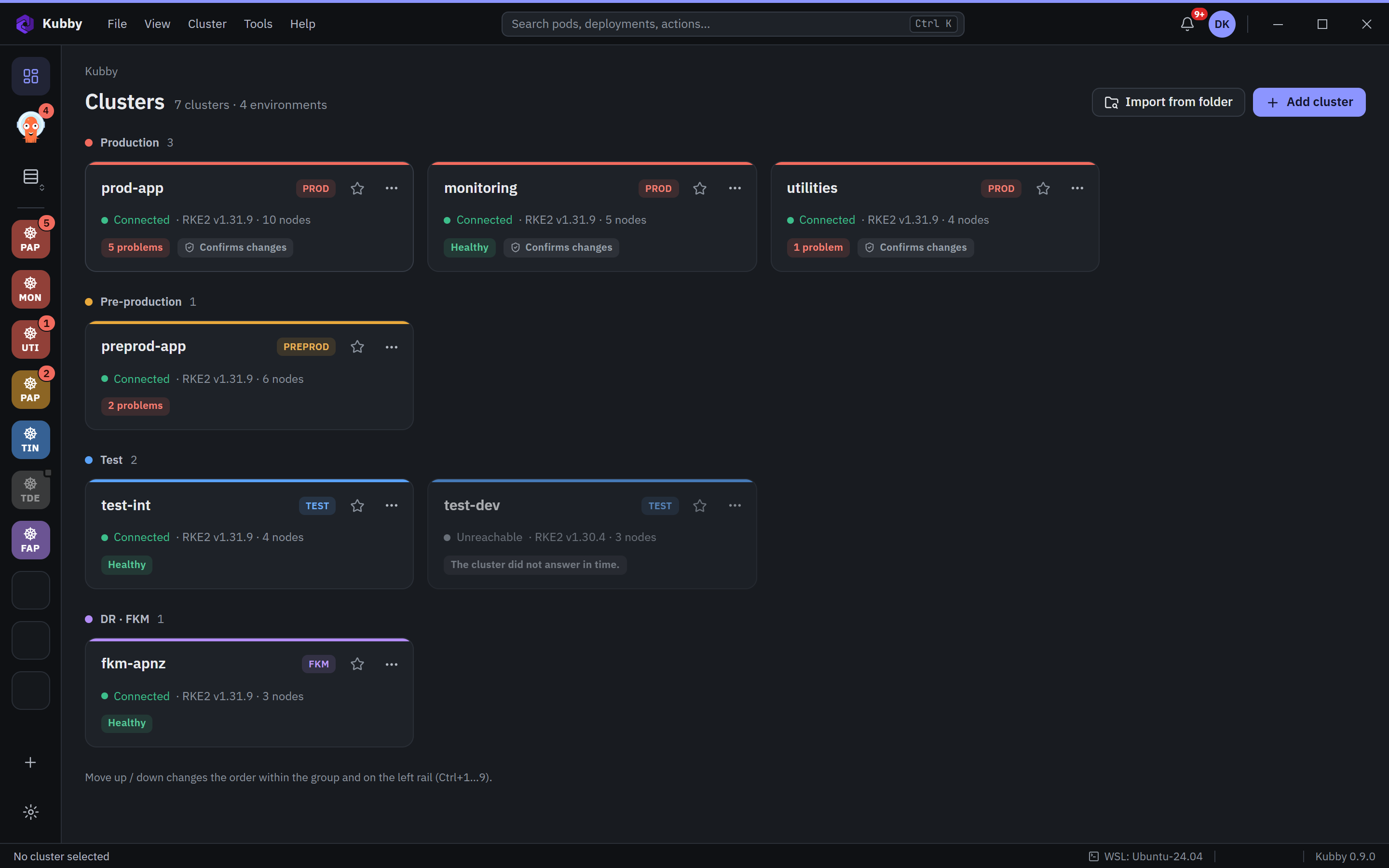
Import your kubeconfigs, group clusters by environment and switch with one click. Logs, events, Helm, terminals and port forwarding stay in the same window, in the right context.
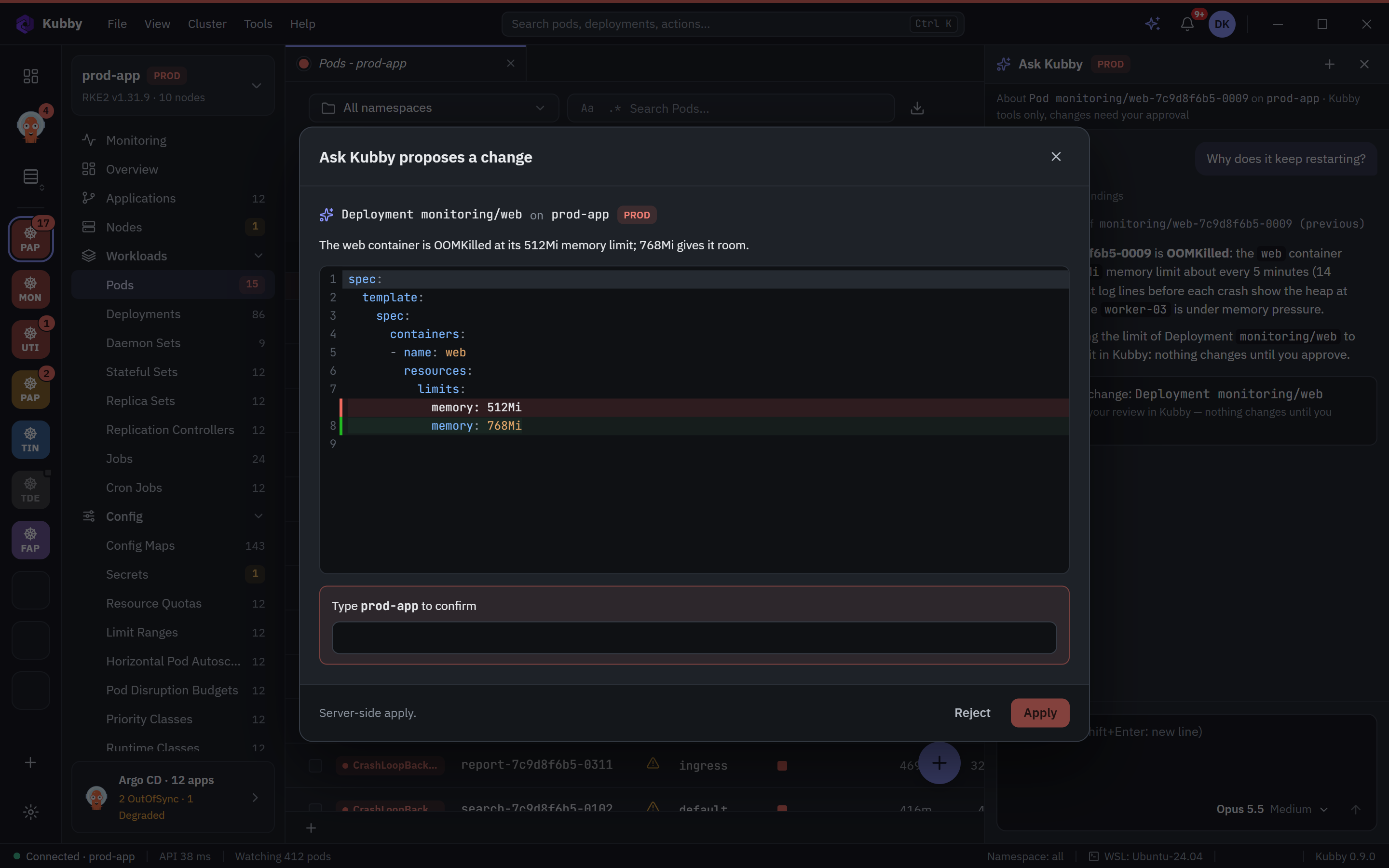
Ask Kubby connects your own Claude, ChatGPT, Gemini or Grok to Kubby's read-only tools for one cluster. It finds the cause and proposes a change; nothing runs until you approve it.
Every feature is free for everyone. These are real Kubby screens on test data.
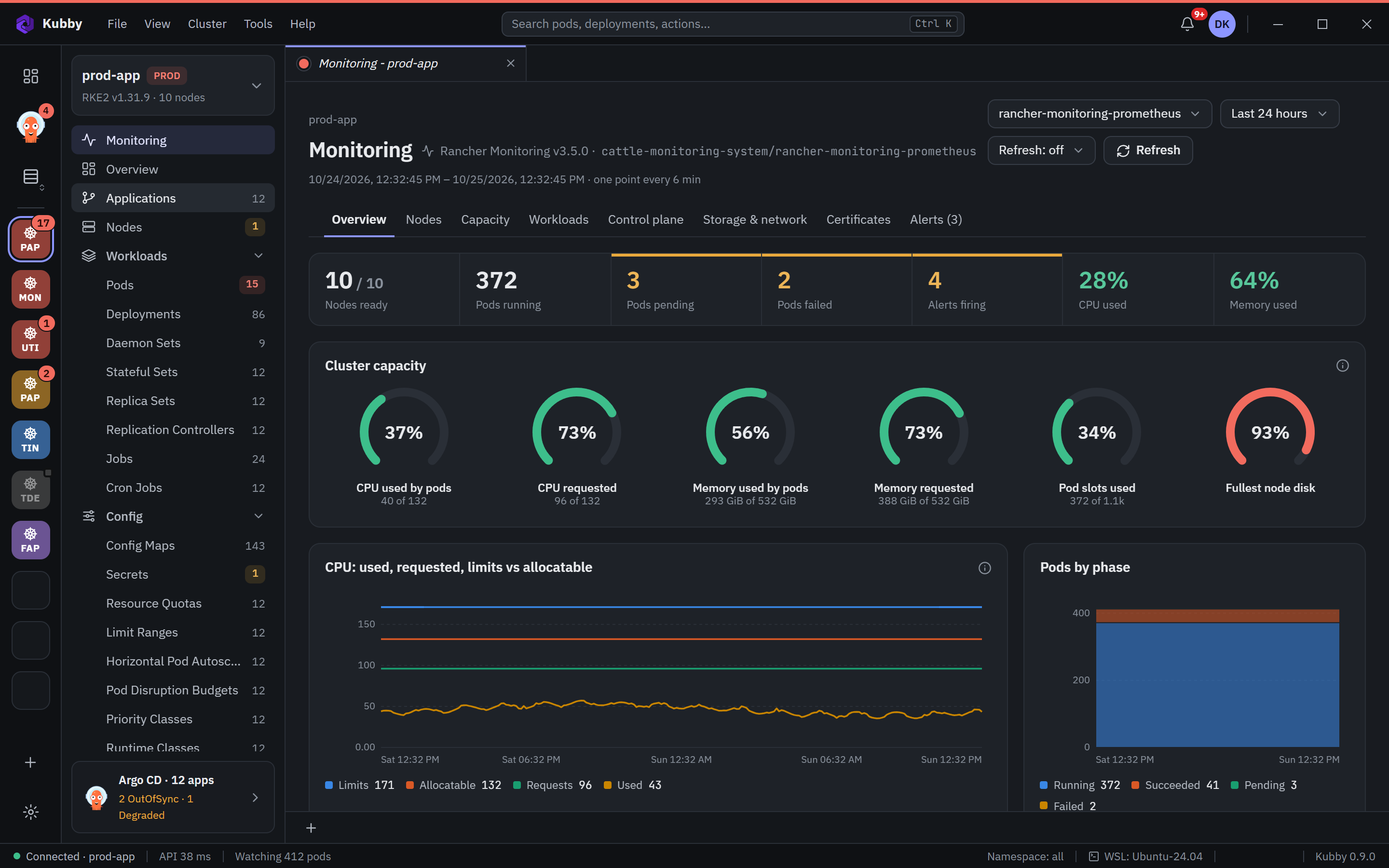
No dashboards to build. Kubby reads Rancher Monitoring or any Prometheus and shows what an on-call engineer needs: capacity gauges, node pressure, control plane, etcd, certificate expiry and the alerts that are firing.
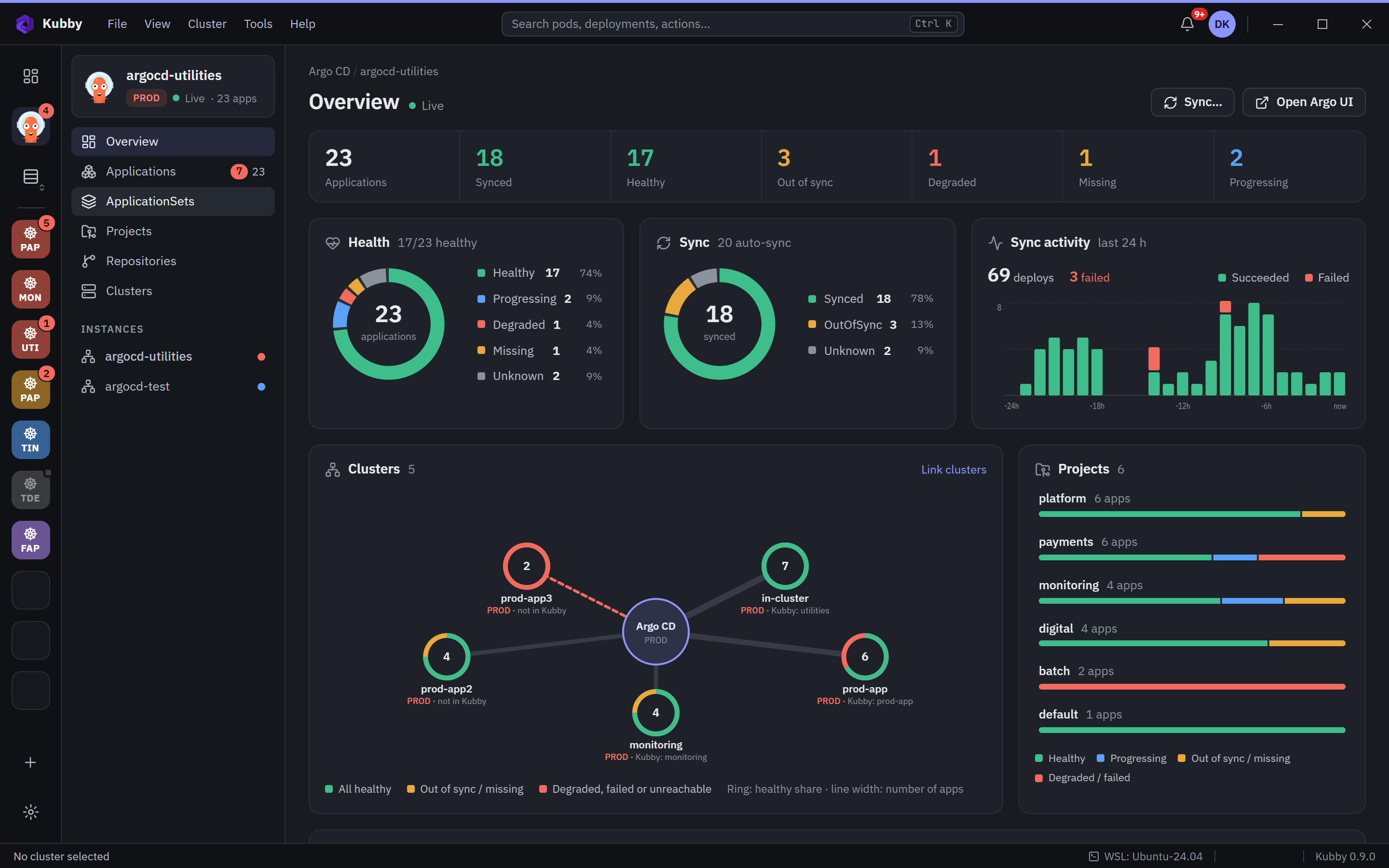
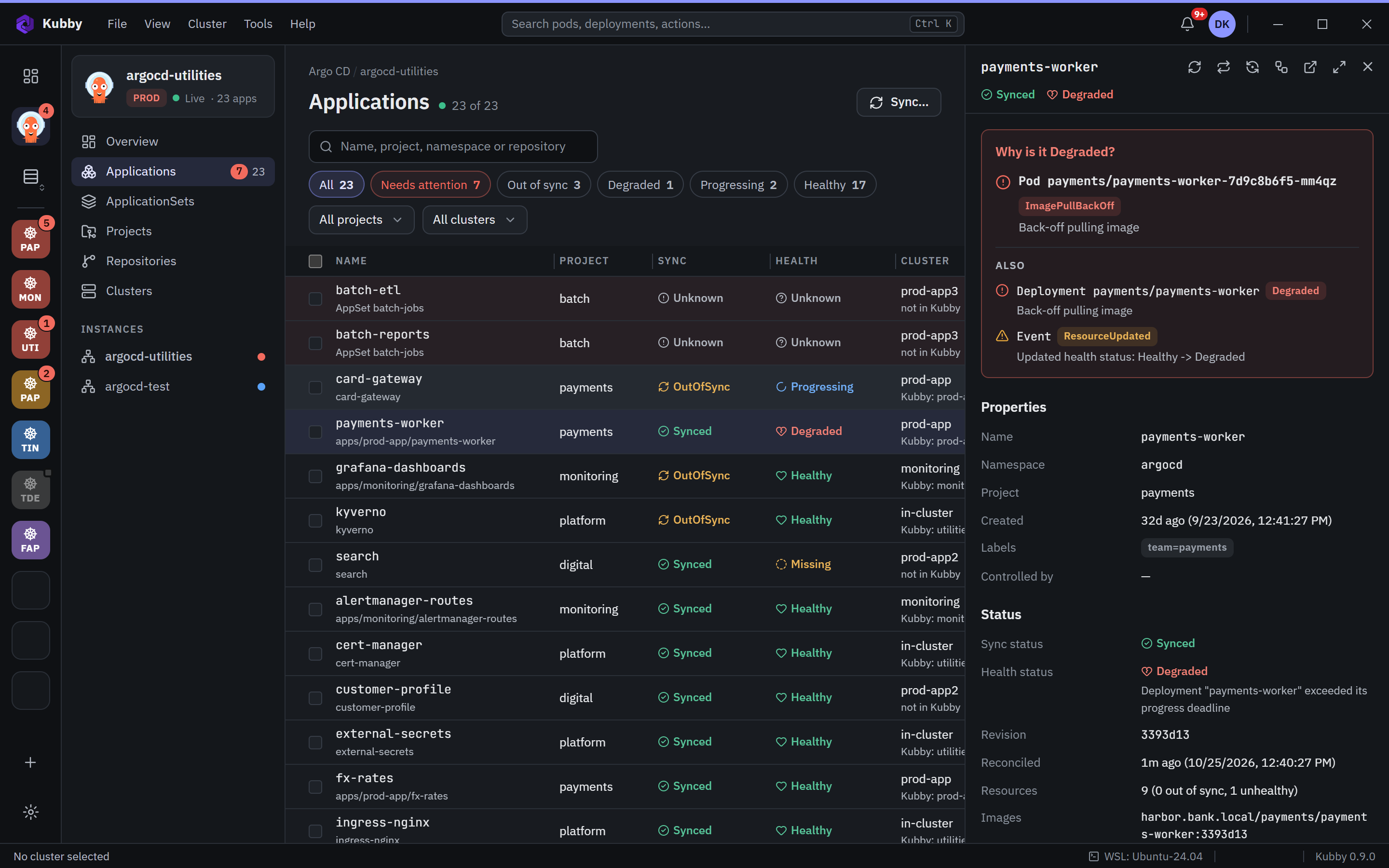
Several Argo CD instances and clusters in one control centre: health and sync charts, the cluster map, applications with their resource tree, diff, history, rollback and sync. A Degraded app shows the pod and the reason behind it.
Bring Claude, ChatGPT, Gemini, Grok or your company's AI gateway with your own account. Ask Kubby reads the findings, the previous logs and the events, explains the cause and proposes a change as a diff.
Nothing is applied until you approve it, with the cluster name typed on PROD. Secret values are never sent.
Explore Ask Kubby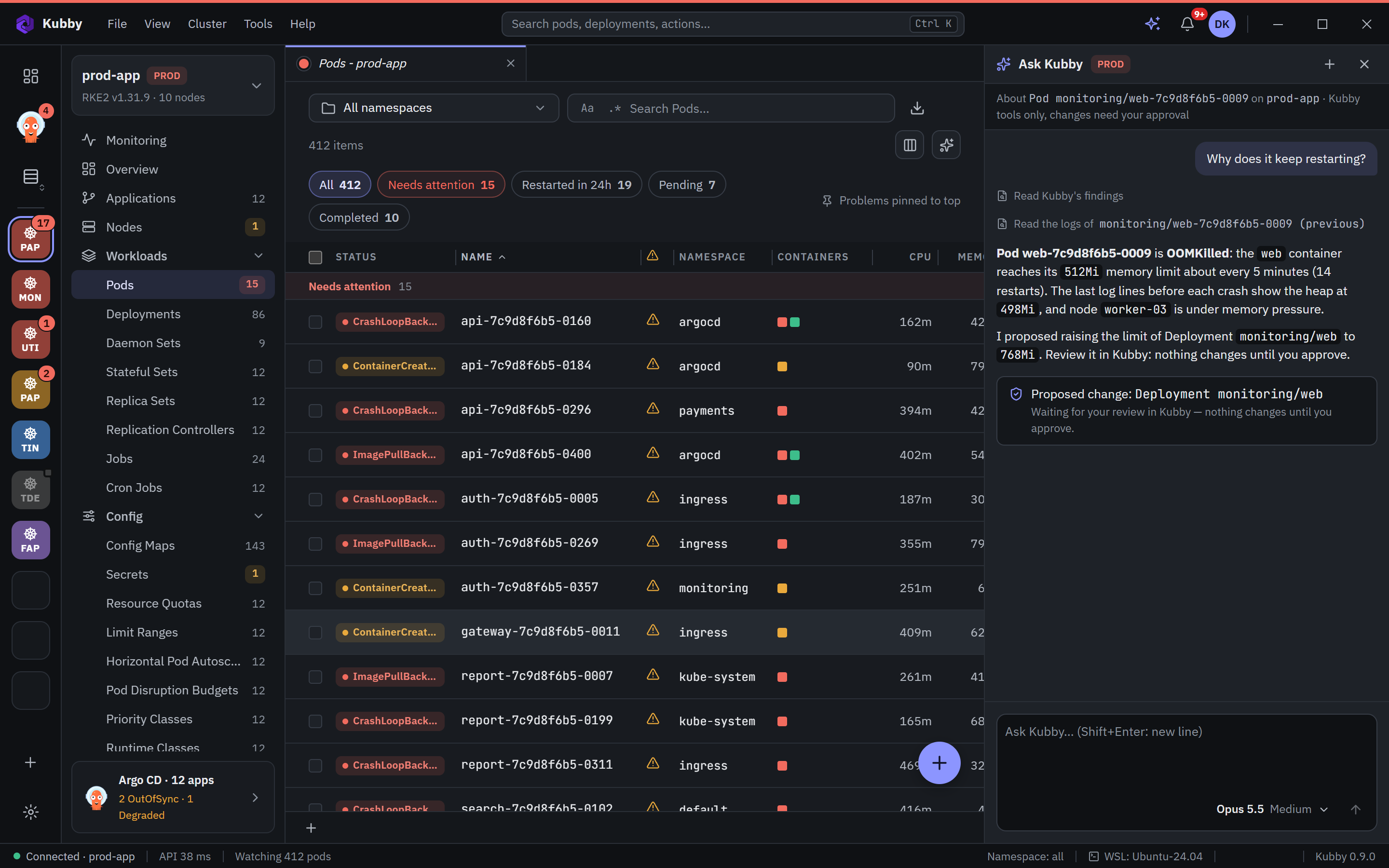
Kubby is a local desktop application that connects to your clusters directly. Kubeconfigs, cluster names, logs and resources are never sent to any server.
When you use Ask Kubby, your question and the relevant cluster context go to the AI provider you chose, through your own account. Secret values are never sent.
Every feature included, nothing to activate. Download, import a kubeconfig, and see your problem pods first. Coming from Lens? See how Kubby compares.