
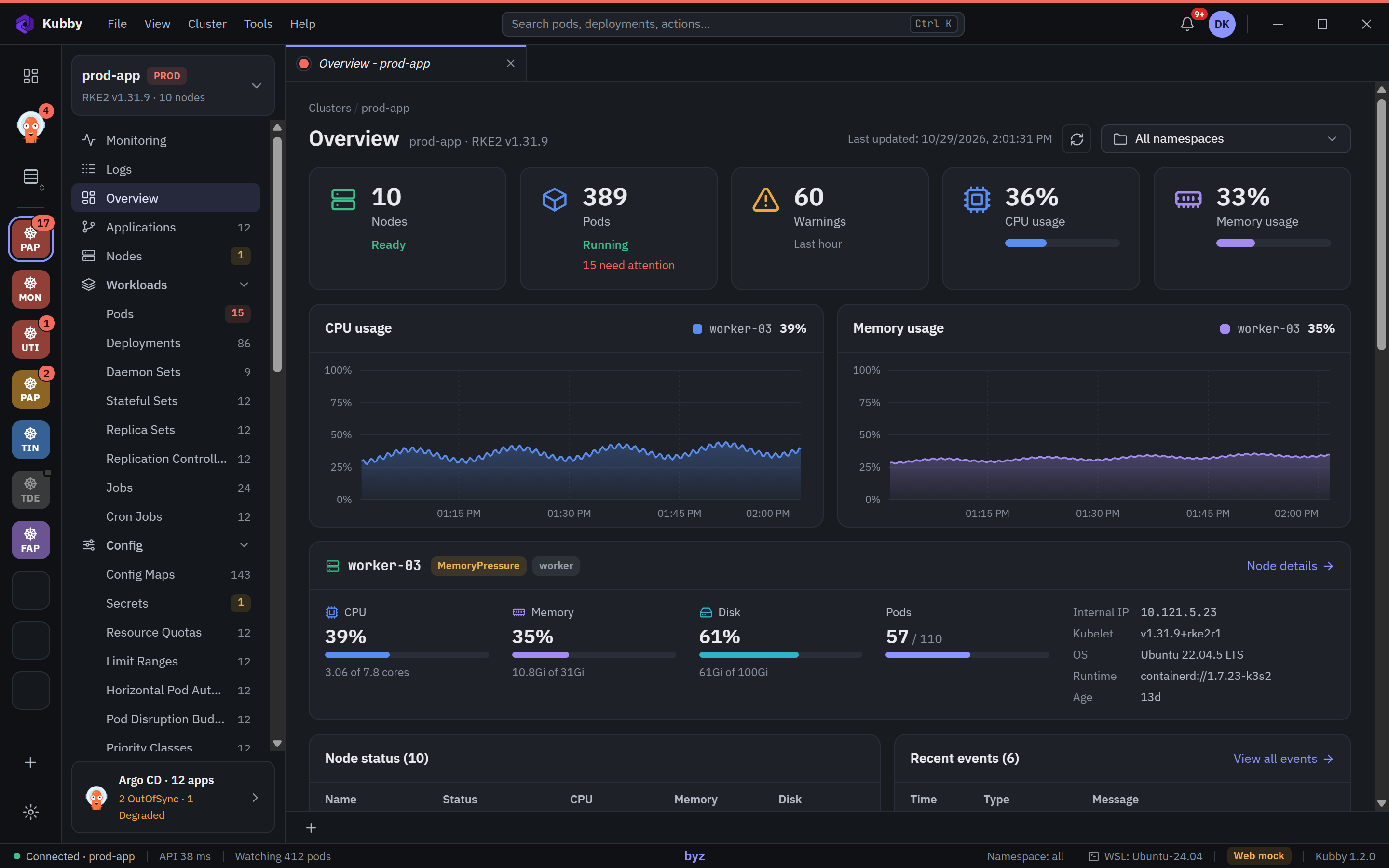
Something breaks
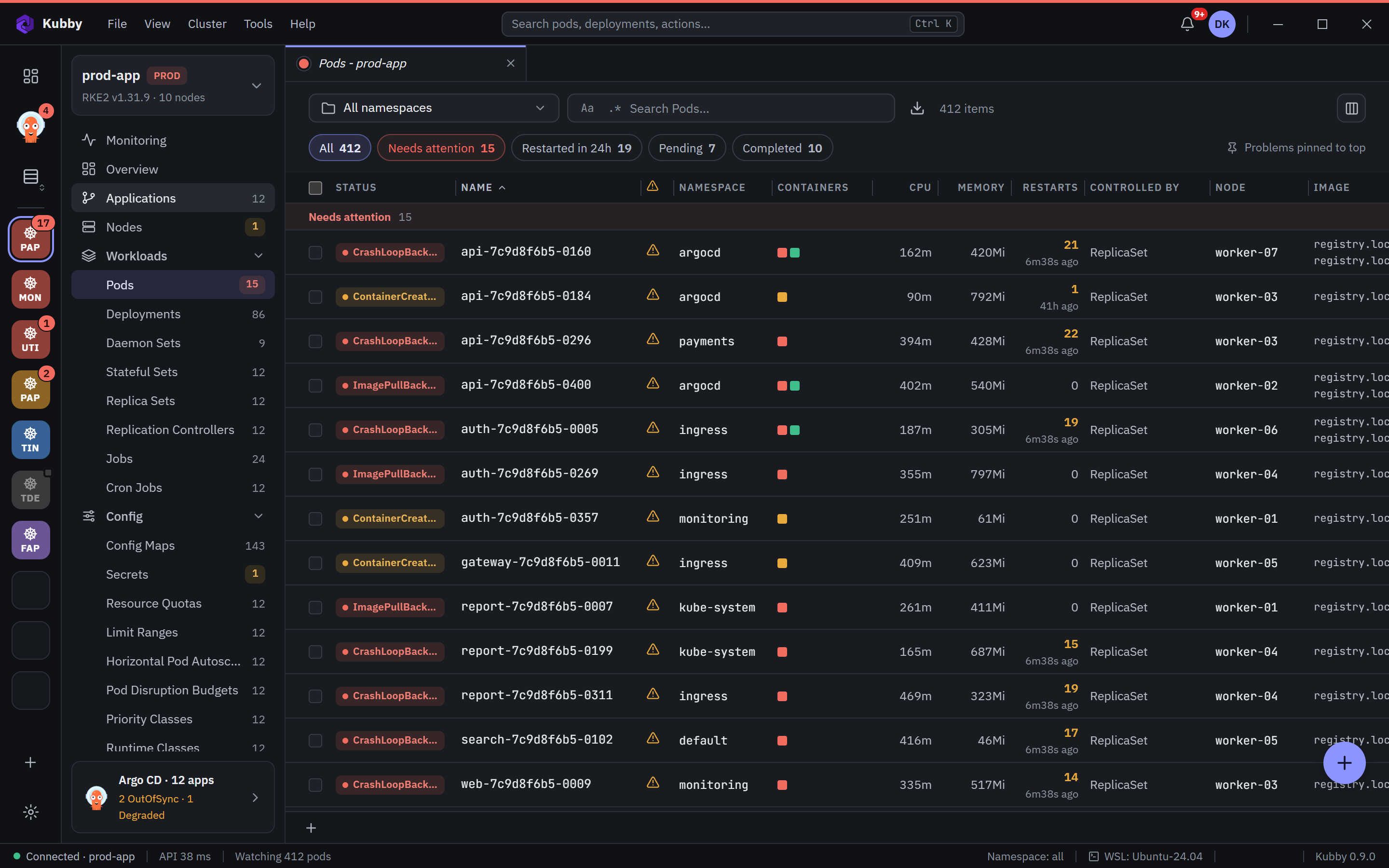
Dozens of clusters, hundreds of pods, one outage. Kubby puts the pods that need you at the top of every list.
Kubby started with an outage and a simple wish: a tool where the problem and its cause come forward on their own. It is built from the daily work of a DevOps team that runs its own clusters on Windows.
Every feature in Kubby answers one of three moments.
Dozens of clusters, hundreds of pods, one outage. Kubby puts the pods that need you at the top of every list.
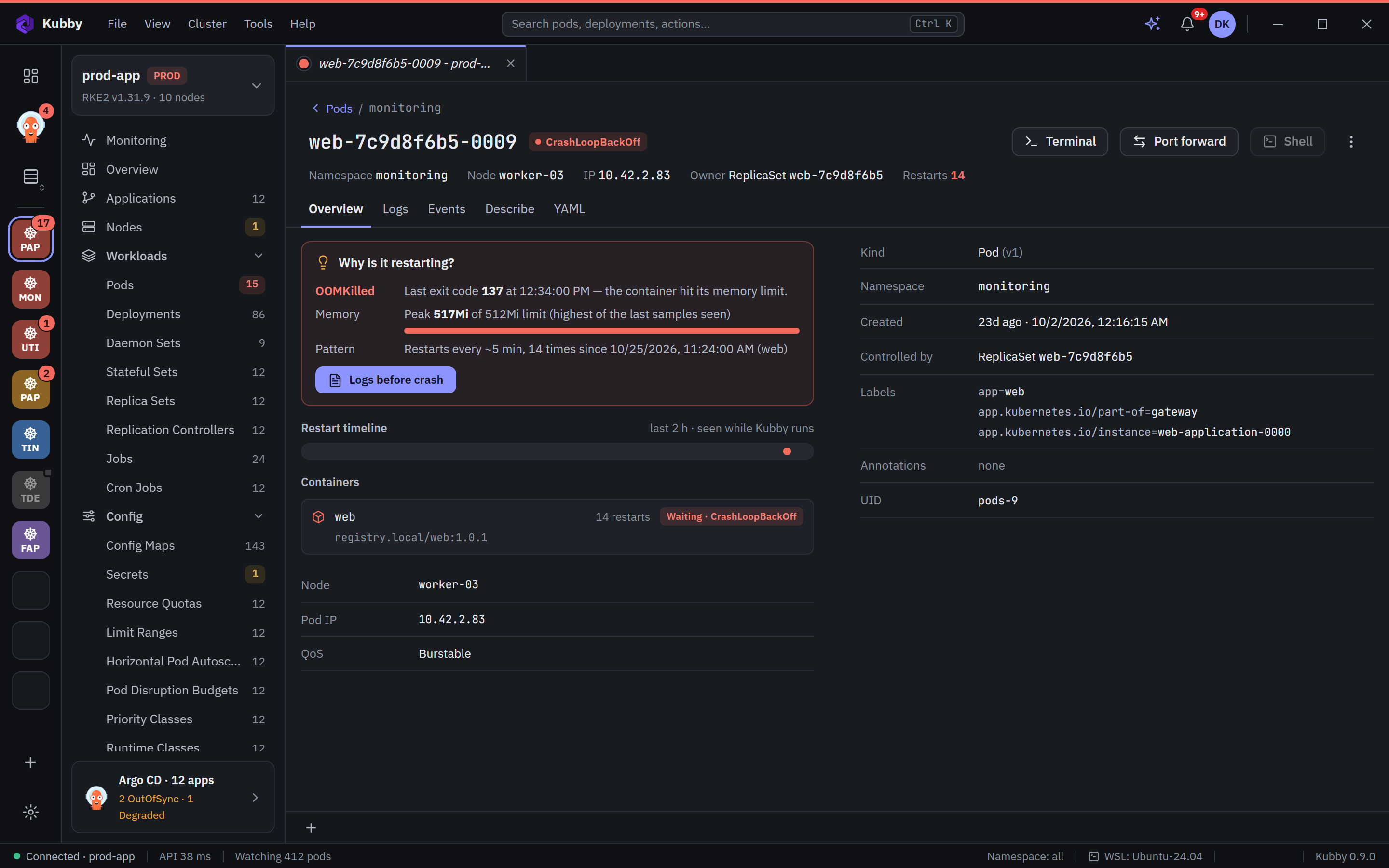
A state is not an explanation. Kubby reads the exit code, the memory peak and the restart pattern and says why.
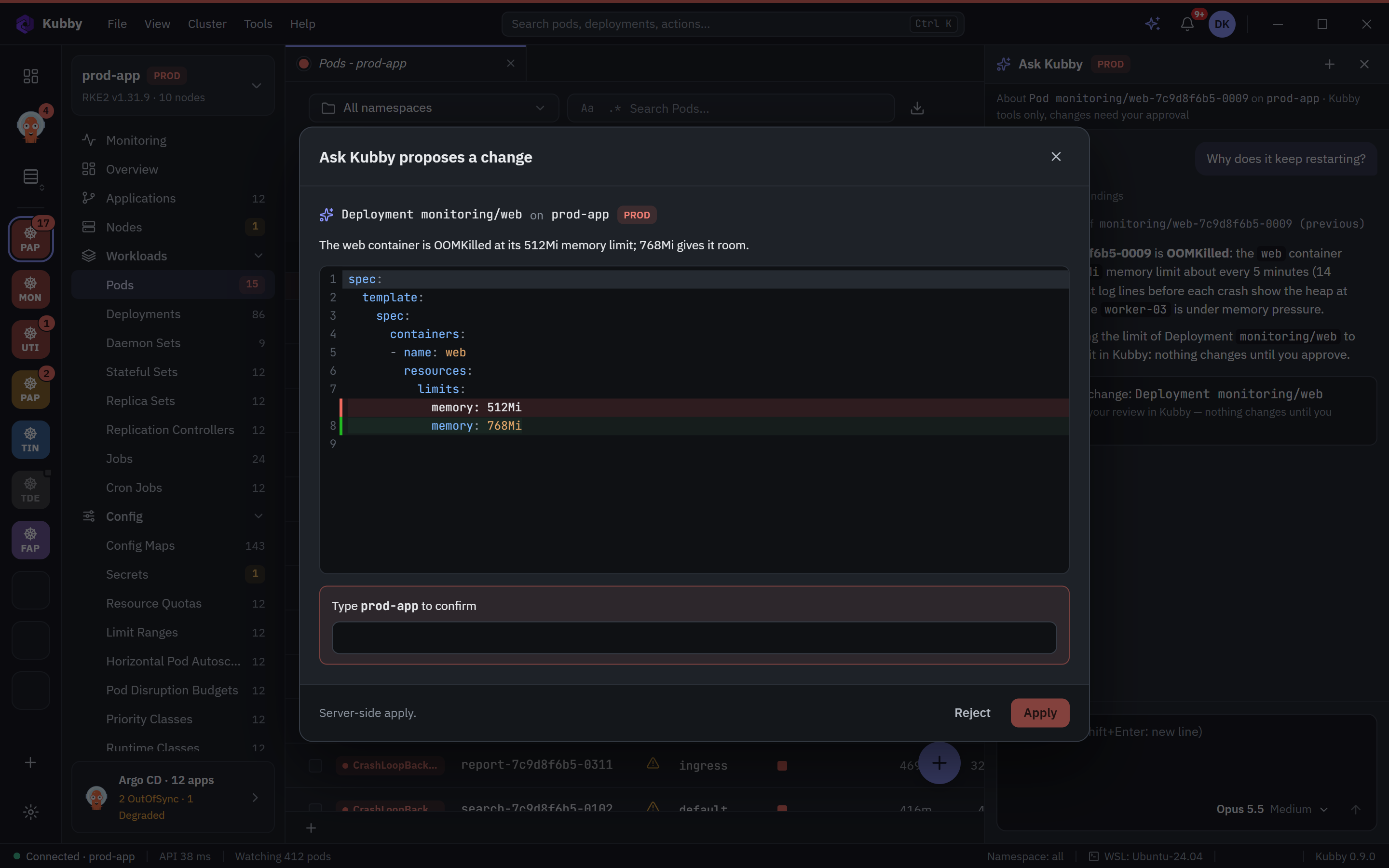
A diff before every change, the cluster name typed on PROD, and an audit log with your name on it.
Kubby is a Windows application that talks to the Kubernetes API with your kubeconfig and your permissions. Nothing is required in the cluster and no server collects your cluster data. If you want logs or metrics there, Kubby can set up Loki or Prometheus after you see the cost and approve it.
The first thing on the screen is the thing that needs you.
CrashLoopBackOff is a state, not an explanation.
The wrong action on the wrong cluster costs more than an outage.
Cluster data and credentials never leave your computer.
What you do often is one shortcut away.
We do not silence errors; we find the cause and fix it.
The latest releases. The full list is in the changelog.
Kubby 1.2.4 — ask Kubby finds your AI tools
Kubby 1.2.3 — steadier live lists on real clusters
Kubby 1.2.2 — much faster lists on large and remote clusters
Kubby 1.2 — a new Overview with CPU, memory and disk per node
Kubby 1.1 — fast with 50 clusters and tens of thousands of pods
Kubby 1.0.1 — tidier pod list
Kubby 1.0 — free for everyone
Cluster health score
Write to us about the product, a bug or a partnership. Kubby is free for everyone.