OOMKilled: containers out of memory
OOMKilled means the kernel stopped a container because it used more memory than its limit, or because the node itself ran out of memory. The container exits with code 137 and, if it keeps happening, the pod goes into CrashLoopBackOff.
Two kinds of OOMKilled
- Over the container limit: the container's memory use reached
resources.limits.memory. This is the common case. - Node out of memory: the node had no memory left, so the kernel or the kubelet killed processes, starting with pods that use more than they requested. The node often shows
MemoryPressure.
Confirm it with kubectl
kubectl describe pod <pod> -n <ns>: under Last State you seeReason: OOMKilledandExit Code: 137.- Compare the limit with real usage:
kubectl top pod <pod> -n <ns> --containers(needs metrics-server). Usage close to the limit before the crash confirms it. - Check the node:
kubectl describe node <node>forMemoryPressureand how much memory is allocated. - Read the last lines before the kill:
kubectl logs <pod> --previous. JVMs and Node.js often log heap warnings first.
How to fix it
- Set the limit from real usage: look at the peak over a day or a week, not a single moment, and leave headroom (for example 20–30 %).
- Set requests honestly: a request far below real usage lets the scheduler pack the node too tightly; those pods are the first to be killed under node pressure.
- Size runtimes to the container: JVM
-XX:MaxRAMPercentage, Node.js--max-old-space-size, worker counts in Python servers. - Look for a leak when usage grows steadily until the kill, whatever the limit.
- Add capacity when the node, not the container, runs out of memory.
If the workload is managed by Argo CD or Helm, change the limit in Git or in the Helm values; a direct edit is reverted at the next sync or upgrade.
The Kubby way
Kubby flags OOMKilled pods in Overview with the memory limit and restart count. The pod's Why is it restarting? panel shows the limit and the highest usage seen; with metrics-server the memory chart draws the limit line. In Monitoring, the Workloads tab lists OOMKilled containers and the Capacity tab shows containers without memory limits.
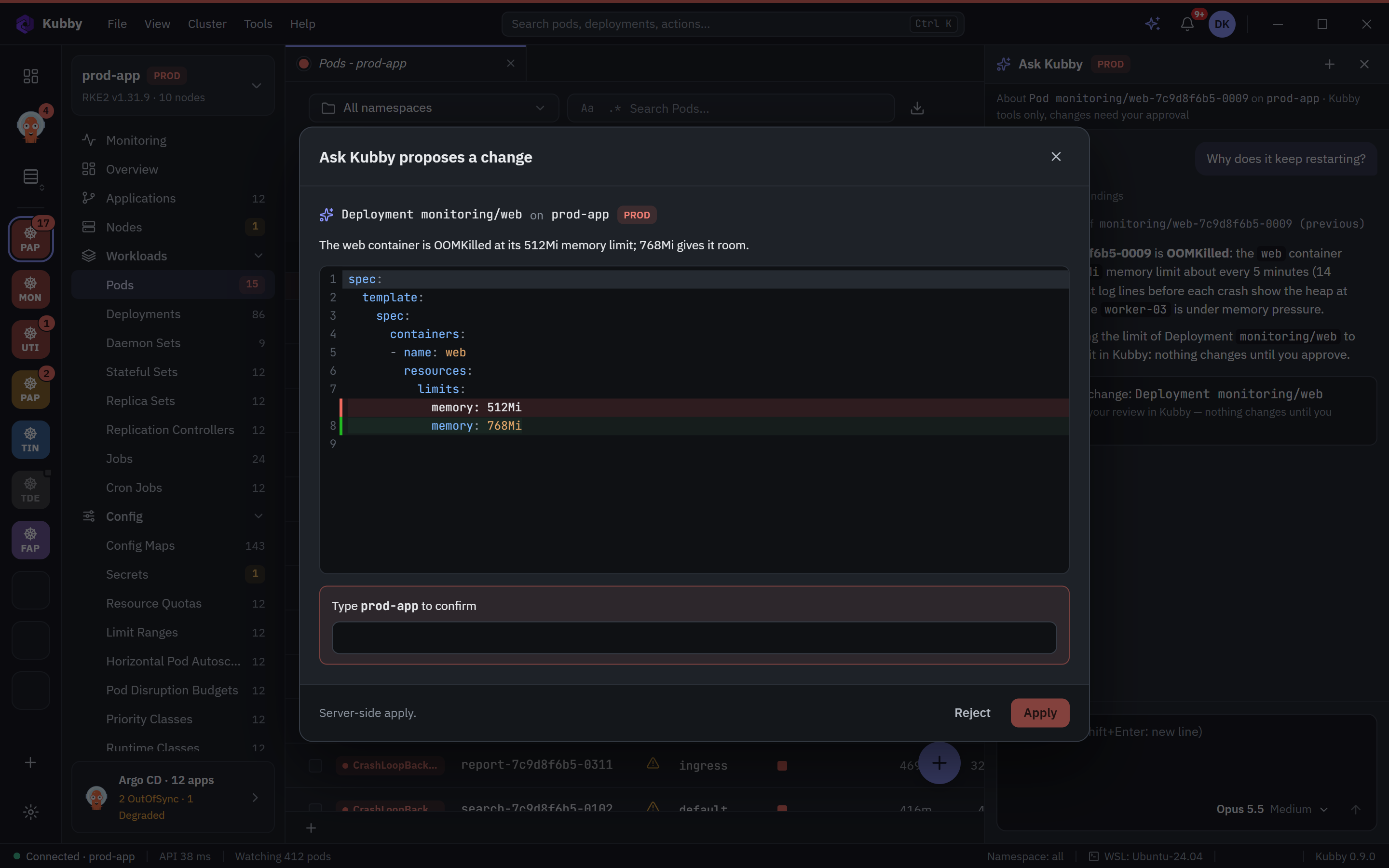
With Ask Kubby, the fix comes as a previewed change to the limit and request that only applies after you approve it.